
Restaurant POS software for a smoother counter workflow
A busy food counter needs three things to stay clear: what the customer ordered, what they paid and what stock remains. When these details sit in separate notebooks or apps, staff have to reconstruct the sale during the rush.
Darzee connects catalogue-based counter orders, billing, payment records and basic stock visibility. For cafes and straightforward quick-service businesses, that creates a practical foundation for more consistent orders and easier daily checks. Its value is the connection between records: the sale carries useful business context beyond the bill.
This guide explains how to use that foundation, how to monitor ingredient usage alongside it, and what to test before choosing restaurant software.
Keep restaurant orders accurate from the first item
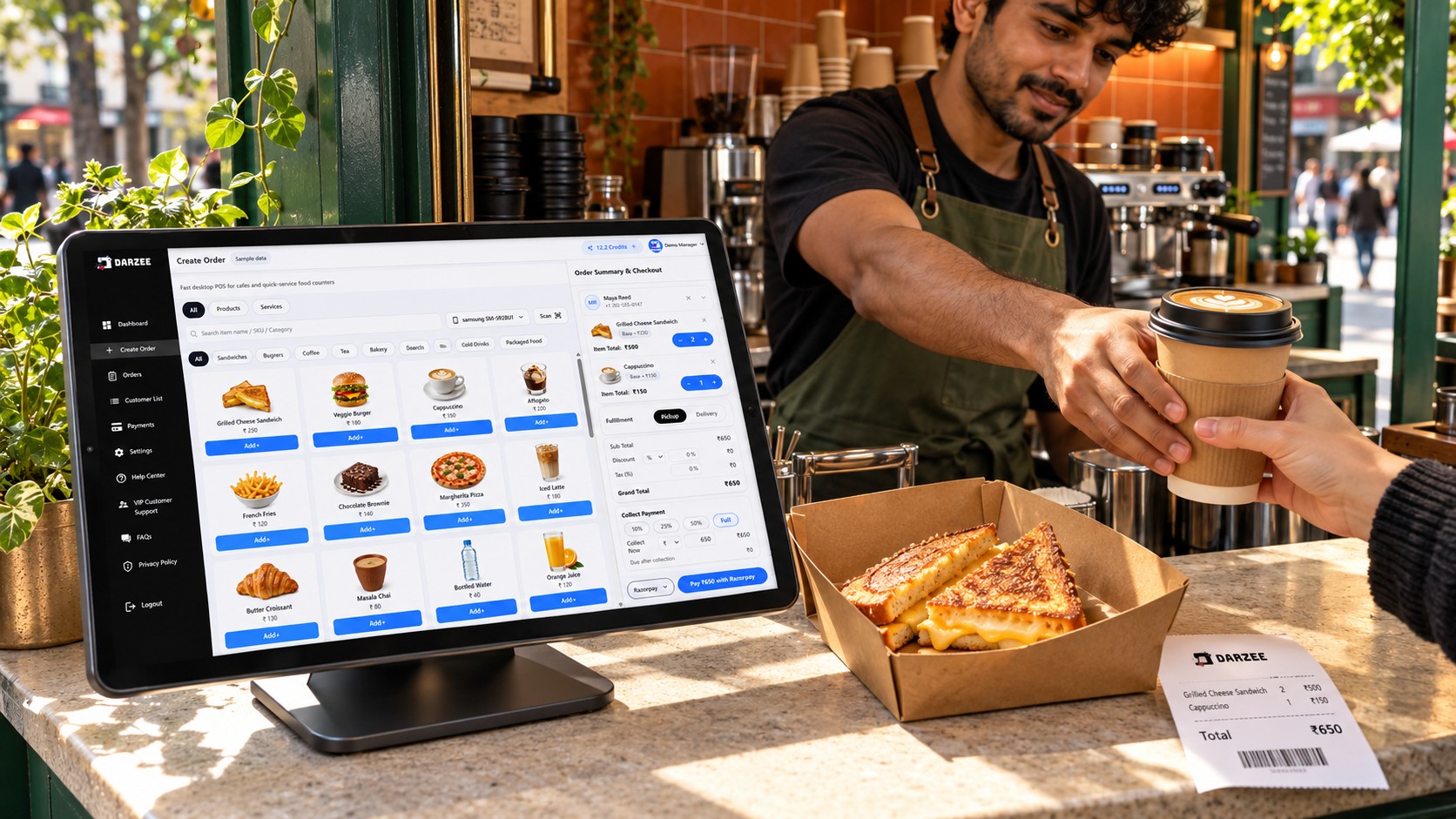
Order accuracy starts with a clear catalogue. Darzee’s restaurant and quick-service workflow lets a business set up products, prices and applicable taxes, then select items for counter billing. A consistent catalogue gives staff a shared reference instead of relying on handwritten prices.
- Use clear item names so staff can distinguish similar products.
- Check quantities and the selected items with the customer before payment.
- Maintain prices centrally within the catalogue rather than improvising at checkout.
- Use the resulting order and invoice records when investigating a disputed bill.
For example, a customer orders two sandwiches and one bottled drink. Staff select the catalogue items, confirm the quantities and review the total before recording payment. The order gives the business a record to consult later. This is an illustrative workflow, not a measured customer result.
When evaluating restaurant order management software, ask for a demonstration using your busiest real order. For special requests, modifiers, kitchen routing and preparation status, verify the exact workflow before relying on it.
Make restaurant billing easier to review
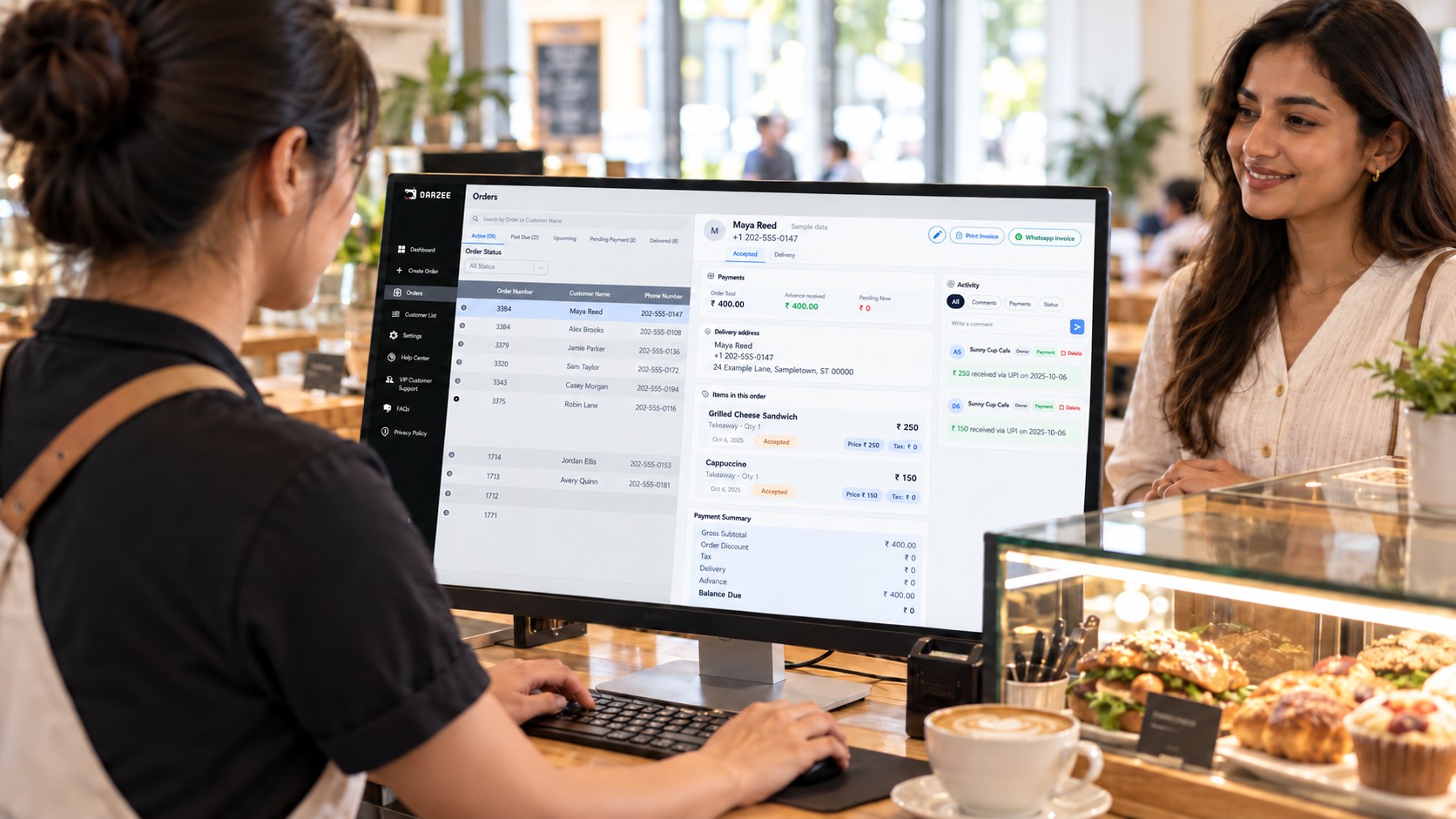
Good restaurant billing software should help staff explain a total and check whether it has been paid. Darzee keeps payment context attached to the order, with support for recording cash and relevant business-owned local payment methods. Its broader checkout workflow also accommodates deposits, partial payments and remaining balances.
That connection is useful when a food business takes an advance for a larger order: staff can check the collected amount and the balance against the same order context. Confirm the setup for your own counter and advance-order process during a demo.
Give each payment method a clear procedure
For cash, record the amount against the sale. For a business-owned payment QR, confirm receipt in the appropriate payment app or account before staff mark the order paid. Displaying a saved QR does not mean the payment is automatically verified.
Darzee also describes Stripe Tap to Pay on compatible devices in supported countries, using the business’s connected Stripe account. Provider eligibility, device requirements and processing fees apply. Ask which capabilities are available in your version; the website identifies parts of the new payment experience with the December 1, 2026 launch.
Explore Darzee payments and checkout for the supported payment workflow.
Use stock visibility to support better purchasing decisions
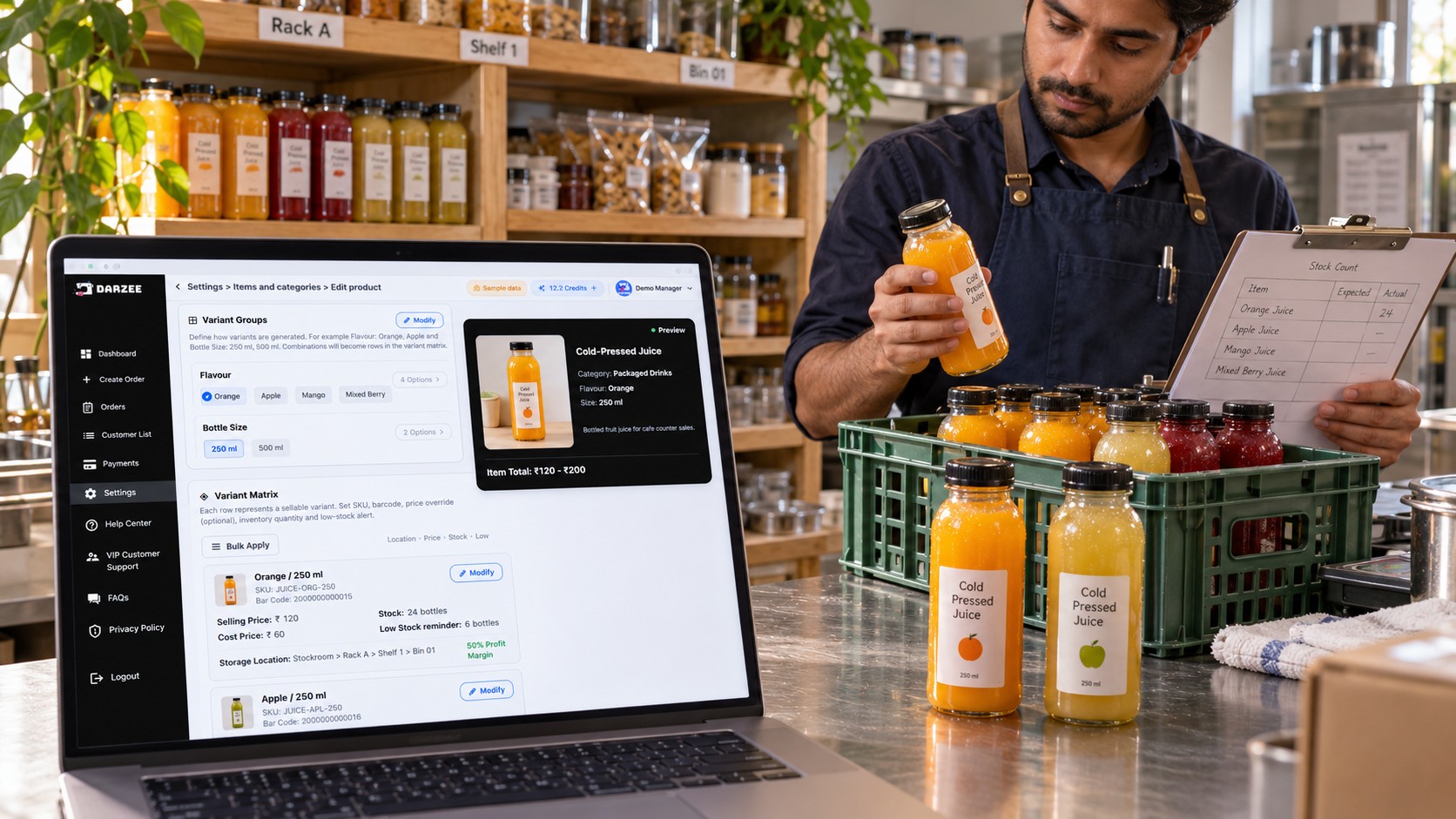
Food businesses often sell both prepared dishes and countable products. Bottled drinks, packaged snacks and other catalogue products are a natural starting point for stock checks. Darzee’s inventory approach connects products and stock with the order and checkout workflow, so the business can review sales alongside basic stock information.
The wider Darzee inventory module describes product variants, SKU and barcode identification, and structured storage locations. Confirm which of these fit your food business during setup. Start with a small catalogue and check how sales, stock counts and corrections behave before expanding.
For example, compare the opening count of bottled drinks with receipts, recorded sales and the closing physical count. Investigate differences while the shift is still fresh. A stock record becomes more useful when the team follows the same counting routine every day.
How to track restaurant inventory and reduce waste
If you are searching for a restaurant inventory management system, distinguish finished-product stock from ingredient consumption. Selling one sandwich and automatically deducting bread, cheese and sauce requires recipe-level inventory logic. Darzee’s current restaurant documentation establishes basic stock and sales visibility; it does not establish automatic recipe deductions, expiry tracking or dedicated waste analytics.
You can still use Darzee’s order and sales records as an input to a practical ingredient review, alongside a separate ingredient and waste log:
- Count opening stock. Record ingredients in consistent units, such as kilograms, litres or individual portions.
- Record deliveries. Check quantities received and record them in the ingredient log.
- Estimate expected usage. Multiply recorded dish sales by your standard recipe quantities.
- Count closing stock. Compare the actual movement with expected usage.
- Log waste separately. Note spoilage, preparation waste, remakes and staff meals so differences have an explanation.
- Review before ordering. Use sales patterns, remaining usable stock and the waste log to adjust purchasing and preparation.
Example: Start with 10 kg of cheese, receive 2 kg and finish with 7 kg. Actual stock movement is 5 kg. If 80 recorded sandwiches each use 50 g, expected usage is 4 kg. The 1 kg difference needs checking against waste, other dishes, portion sizes and counting errors. This calculation belongs in your ingredient log unless a demonstrated integration or feature handles it.
Darzee contributes the commercial record of what was sold. The ingredient routine adds the kitchen detail needed to understand consumption. If automated recipe costing is essential, include it as a separate requirement in your software comparison.
Why choose Darzee over a standalone billing tool?
Darzee’s strongest case is for a business that wants checkout connected to customers, orders, payments and stock. Compared with a setup consisting only of a billing app and separate manual records, that connected approach can reduce the need to look in several places to understand a sale. The benefit depends on how the business configures and uses the system.
| Business need | Separate bills and manual records | Darzee’s documented approach |
|---|---|---|
| Order and payment context | Staff reconcile separate notes and receipts. | Payment context stays attached to the order. |
| Counter catalogue | Item names and prices may be maintained in several places. | Catalogue-based item selection and billing. |
| Stock review | Stock counts are compared with separate sales records. | Basic stock and sales visibility within the connected workflow. |
| Counter devices | Device workflows depend on the tools selected. | Phone and web workflows, with Companion Mode for supported scanning and payments. |
| Kitchen operations | Separate kitchen procedures are needed. | Verify specialist requirements such as recipes, kitchen displays and table management separately. |
A cafe that also sells packaged products may find this connected approach a better fit than a bill-only setup. A full-service restaurant needing table plans, kitchen display systems or delivery aggregation should compare specialist capabilities carefully. The right choice follows the operating requirements.
Darzee Companion Mode is another useful distinction to demonstrate: a logged-in phone can support the desktop cart through compatible scanning and payment workflows.
A checklist for comparing restaurant order management software
- Order accuracy: Can staff select your actual products and check quantities quickly?
- Billing: Can they explain the total and find the invoice later?
- Payment control: Can they distinguish recorded payments from provider-confirmed payments?
- Stock: Can they demonstrate a sale, physical count and stock correction?
- Ingredients: Are recipe deductions, unit conversions and waste records required, and demonstrated?
- Kitchen workflow: Do you need modifiers, kitchen tickets, table management or delivery integrations?
- Availability: Which features work now, on your devices and in your country?
- Total cost: What subscription, equipment, provider and setup costs apply?
Run the same test with every shortlisted system: enter a typical order, check its total, record payment, retrieve the sale and review the stock impact. Add an advance order if your business uses deposits. Ask staff to repeat the process themselves.
A simple daily routine with Darzee
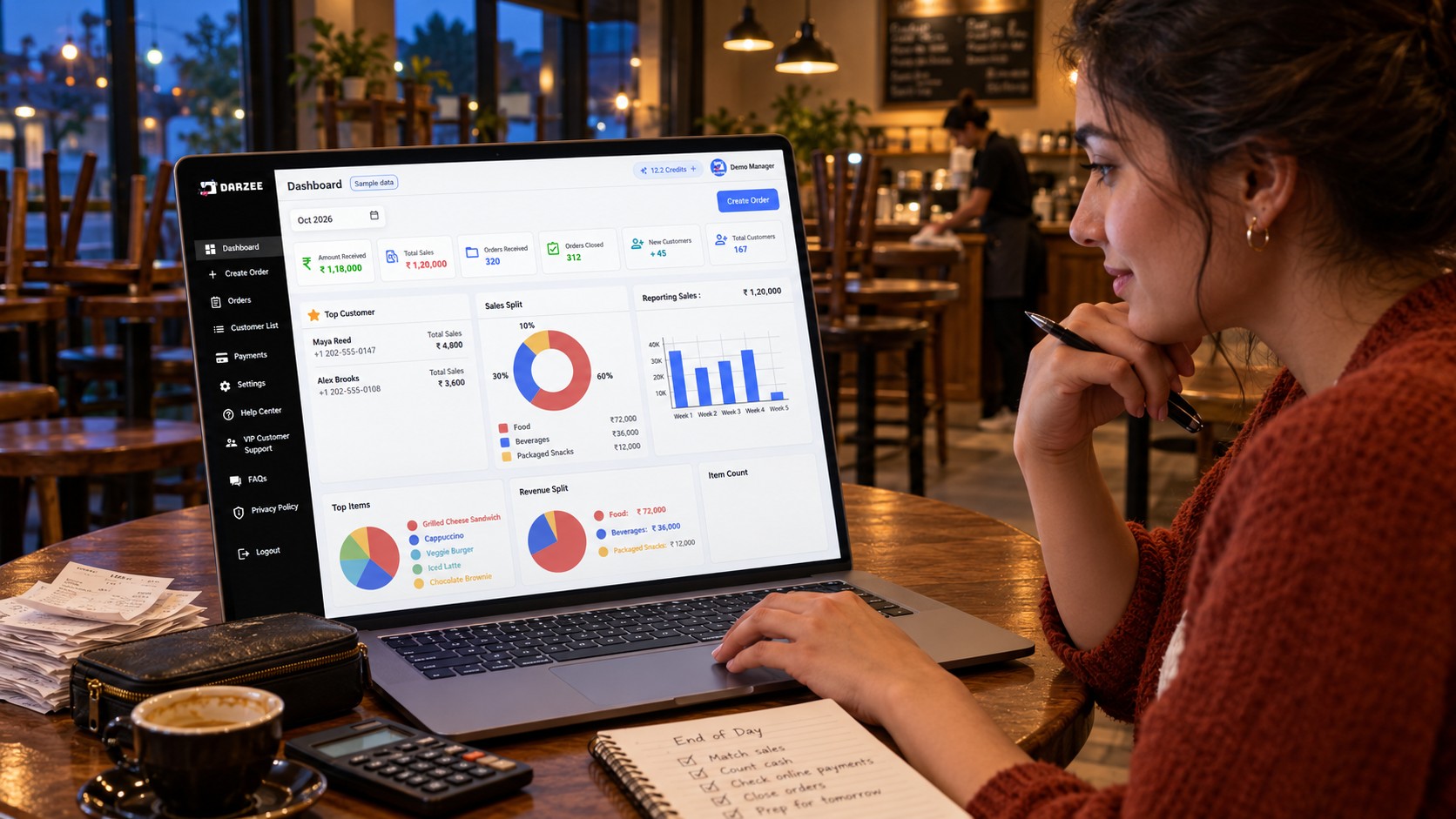
Before opening, check your catalogue, prices and key product counts. During service, confirm each order and record payment consistently. At closing, review order and sales records, reconcile collected payments and compare physical stock with recorded activity. Keep the ingredient and waste log beside this review so purchasing decisions reflect both sales and kitchen usage.
Frequently asked questions
Is Darzee suitable for restaurant POS software?
Darzee describes support for cafes, food counters and simple quick-service operations through catalogue billing, cash and digital payment recording, basic stock visibility, and customer and invoice records. Test your specific workflow before choosing.
Can Darzee replace a separate restaurant billing app?
It can be considered where catalogue-based billing and connected order and payment records meet your requirements. Demonstrate your actual items, payment methods and invoice process before switching.
Does Darzee automatically track ingredient usage?
The current restaurant documentation does not establish automatic recipe-level ingredient deductions. Use sales records alongside an ingredient log, or verify a suitable demonstrated capability or integration before depending on automation.
What makes Darzee useful compared with basic billing tools?
Its documented strength is keeping customers, orders, checkout and stock context connected. That is useful for counters wanting a broader operational view than a bill-only workflow.
See how Darzee fits your food counter
Bring your menu, payment methods, stock list and daily checks to a Darzee walkthrough. Start with the workflow your team repeats most often, then confirm the features and availability that matter to your business.
Explore Darzee for your business or discuss your restaurant workflow with the Darzee team.

